Projects
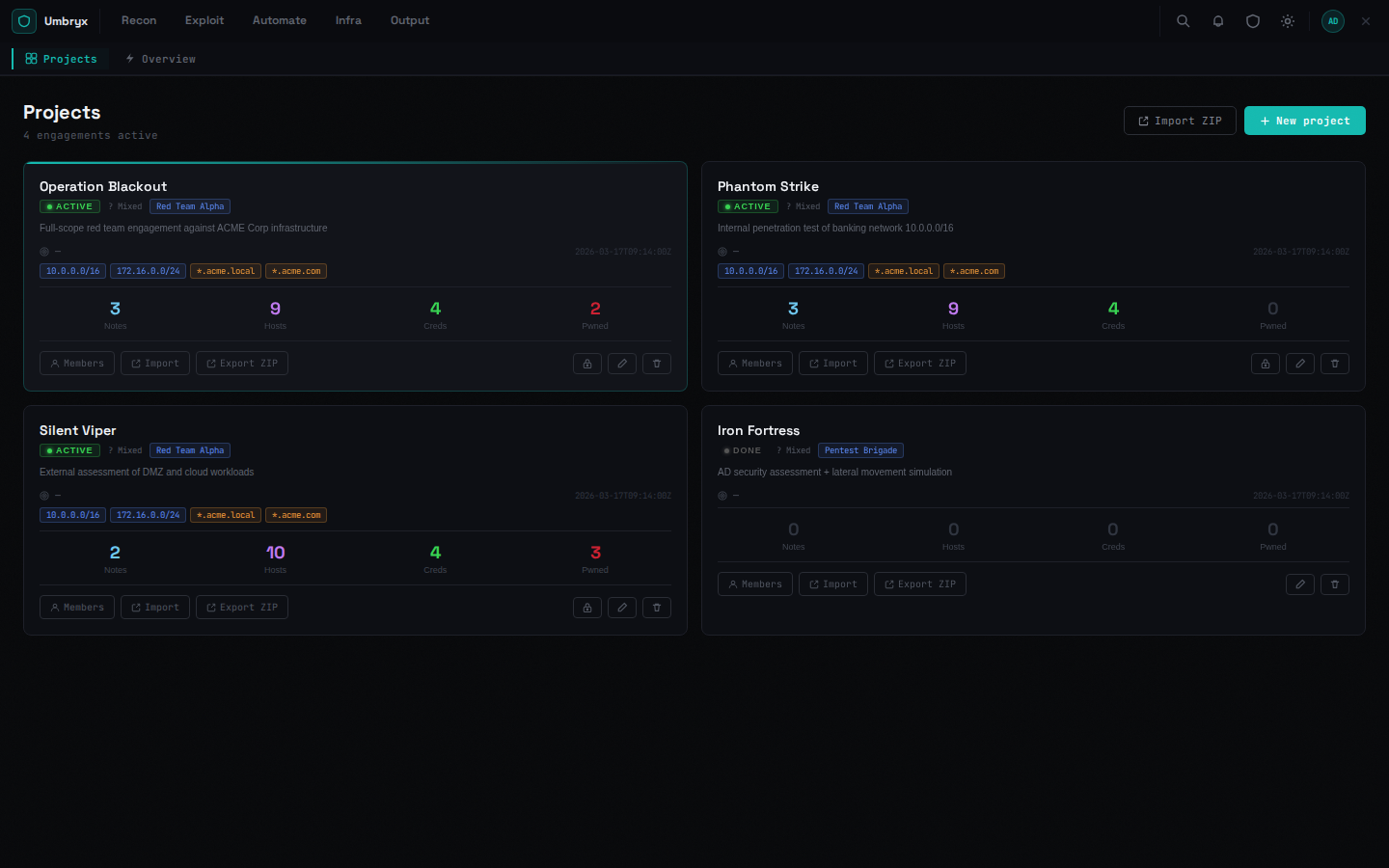
The engagement container: scope, members, status and everything produced during the work.
 Availability: both editions. Access: any project member; the
creator becomes
owner.
Working with projects
- New project — name, client IP/OS summary, status, description. A client IP automatically becomes a scope entry
- Import ZIP — restore a previously exported project (password prompt when encrypted)
- Export ZIP — full project archive; encrypted with a one-time
password whenever credential secrets are included (requires
project.export) - Close — the Closure Wizard runs preflight checks and produces a decommission report
- Edit — including per-project environment variables used by playbooks/stacks
- Delete / purge — delete removes the project; purge additionally removes uploaded files from disk (owner-level authority)
Members and teams
Members panel: add users with a project role, invite by link, attach teams, transfer ownership (owner-only). Role semantics: Access control.
What you see on a card
Status, OS, scope badges and live counters (notes, hosts, creds, pwned). Selecting a project scopes the whole application to it (remembered per browser).
Expected behavior
- All lists/filters across the app narrow to the selected project
- The timeline accumulates every member's actions
- Deleting a project requires confirmation showing entity counts
Limitations
- Export archives with secrets are AES-encrypted — save the one-time password when it is shown; it cannot be recovered
- The last owner cannot be removed; ownership must be transferred