Hosts and scope
The Recon side of the project: what is in range and what is known about it.
 Availability: both editions. Access: read for most roles;
create/update/delete buttons require the matching
hosts.*
permission.
Hosts
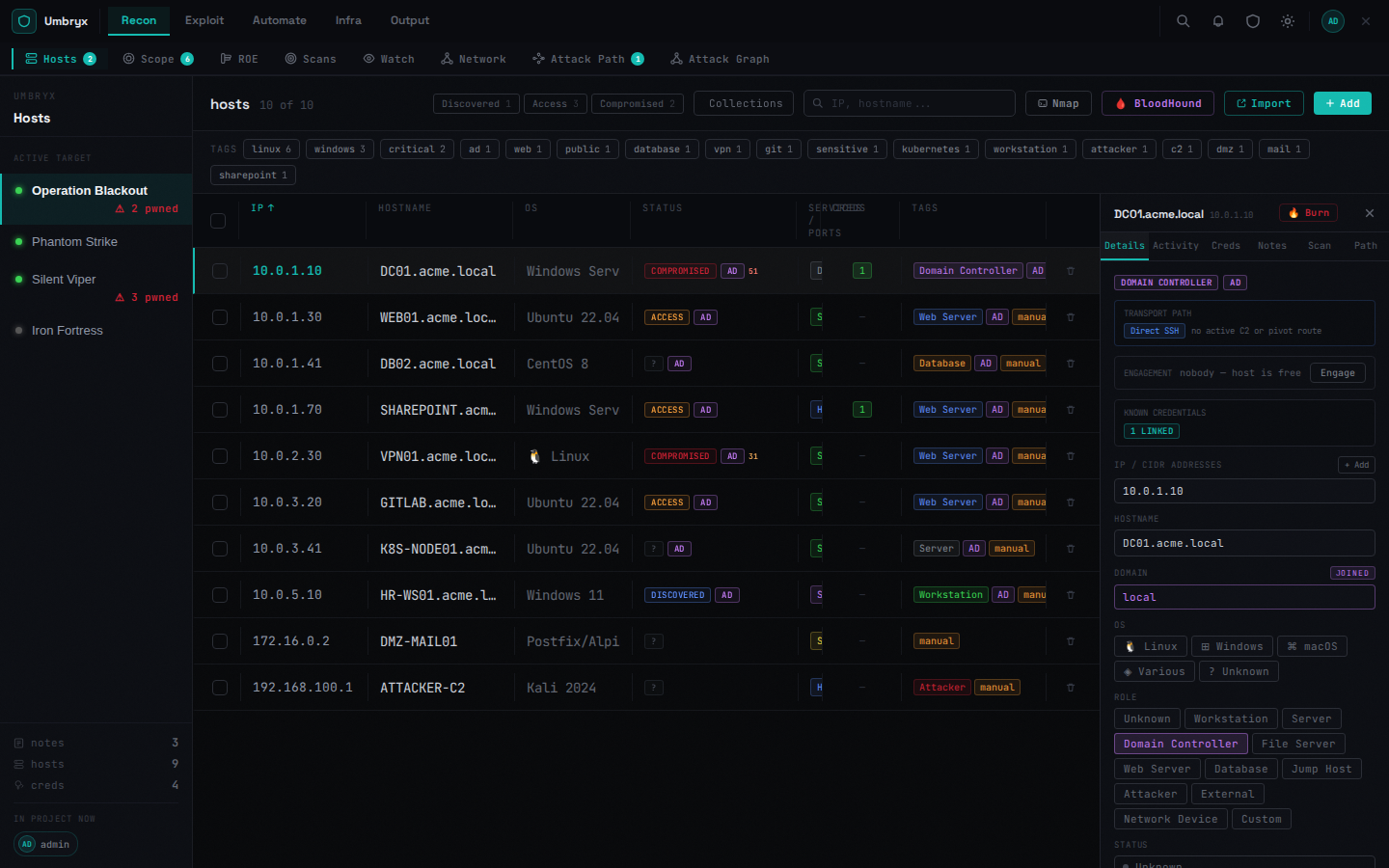
Table with resizable columns, inline editing (double click), filters by status and tags, search. Bulk selection supports Bulk Run (mass command execution), bulk edit and delete.
Import paths on this tab: Nmap (parse XML), BloodHound (hosts/creds/access edges), generic import modal, Add manually, bulk host import lives under Scans.
The right-side host panel has tabs:
- Details — IPs, hostname, domain, ports/services, tags, and a transport badge (C2 beacon / pivot SOCKS / direct SSH)
- Activity — the host's recorded actions
- Creds / Notes — linked entities, add from here
- Scan — risk score with breakdown, scan history and diffs
- Path — suggested lateral paths
Burn host marks a host as compromised and opens the OPSEC teardown checklist. Deconfliction shows who else is working on the host (advisory).
Scope
Entries of type CIDR / hostname / domain / URL, each in-scope or an exclusion; an entry can be marked as an entry point or as reachable via a specific host. Hosts are classified against scope in the UI (in / out / excluded / unknown), and job targets are checked against scope by the ROE guard.
Extension requests (scope/extension-request) record asks for more
range.
Expected behavior
- Imported scans upsert hosts by IP; ports/services merge
- Status changes (validated access, burn) reflect on the network map and attack graph
Limitations
- Scope matching for scans applies to the project's scope entries; excluded ranges are honored