User management
Platform-level accounts and administration. Availability: both
editions. Access: Admin → User Management is platform_admin
only.
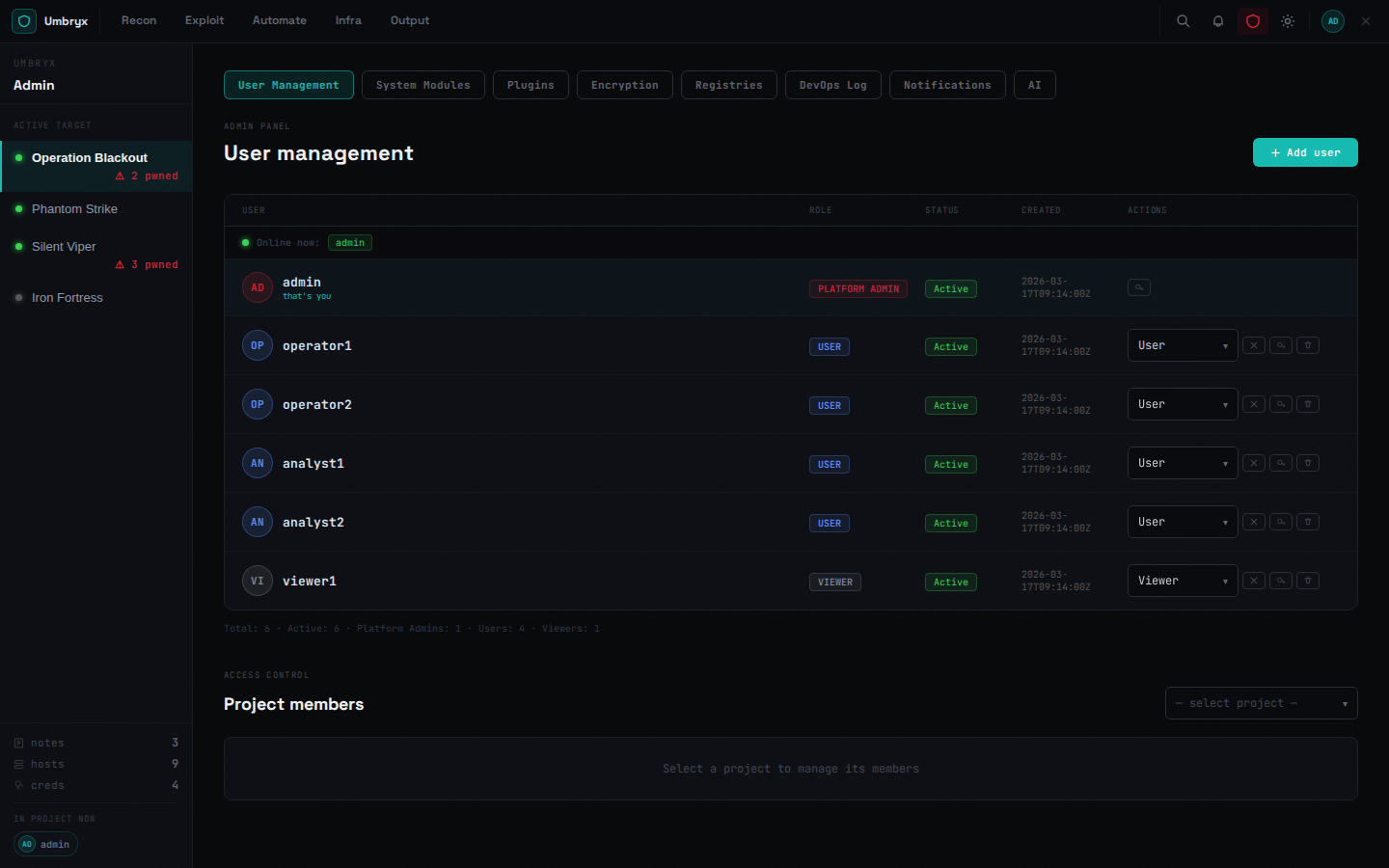
Accounts
- Create users with a global role:
platform_admin,user, or the legacy read-only globalviewer(preferuser+ project-levelviewermembership) - Reset passwords, change global roles, deactivate/delete accounts
- Per-user SSH public keys (used for workstation access) — own keys under user settings; admins manage any user's keys
Project-level authorization (who sees which project, with which of the 11 roles) is managed per project in Members — see Access control.
MFA
Per-user TOTP: enable under account settings (setup renders a QR code), verify at login. MFA applies to password logins and composes with OIDC SSO when the provider requires it.
SSO (OIDC)
Organization-scoped providers (Admin → Organizations → SSO) and platform-wide providers (System → SSO): Authorization Code + PKCE, JIT provisioning with role mapping, per-provider "require platform MFA" and "enforce SSO" (password login disabled for that org, admins exempt). Setup walkthrough: OIDC SSO setup.
Session handling
- Access tokens (default 2 h code / 8 h compose) + rotating refresh
tokens (24 h); logout blacklists the token's
jtiwhen Redis is configured - Sessions are httpOnly cookies; role changes take effect on the next request (permissions are read live from the DB, never cached in the token)
Audit
Every privileged action (user CRUD, role changes, key grants, secret
reveals, exports) is audit-logged; Audit (admin menu) and the
per-project timeline expose it. GET /api/admin/audit/verify checks
HMAC integrity when AUDIT_INTEGRITY_KEY is set.